
| Plan | ✓ Professional ✓ Advanced ✓ Scale ✓ Enterprise |
Let's take a look at what your Pinterest profile analytics will look like when you run a Profile Performance Report or a Post Performance Report with Vista Social.
Pinterest metrics for Profile Performance Report
Summary of followers, pins, engagement, clicks, saves, and impressions
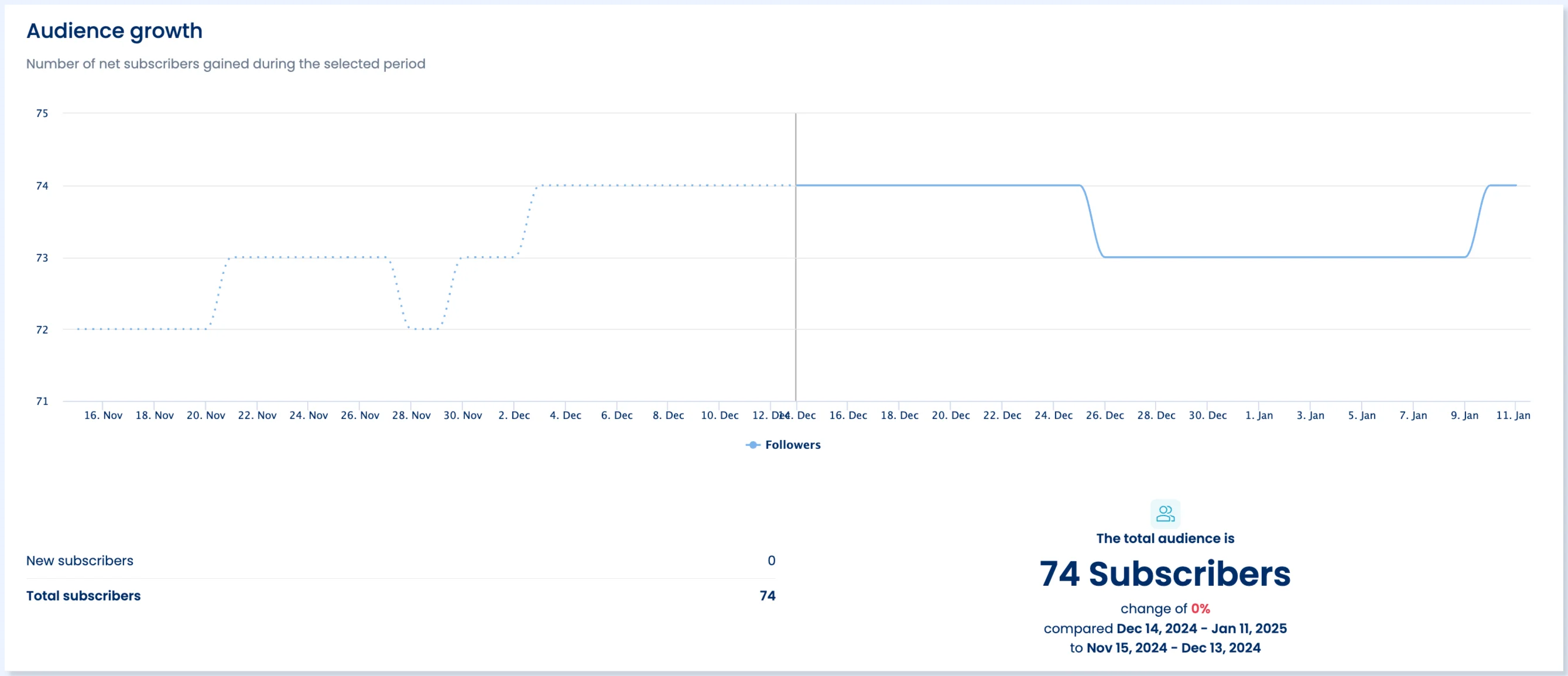
Audience growth
Shows the total number of net subscribers gained during the selected date period.
 Pins
Pins
Shows the total number of total pins for the selected date period.
Impressions
Shows the number of times your Pins or ads were shown on screen.
Engagement
Shows the total number of engagements on your Pins. This includes saves, Pin clicks, outbound clicks, carousel card swipes, secondary creative (collections) clicks, and Idea Pin forward/backward swipes.
Clicks
Shows the total number of clicks on your Pin or ad to content on or off of Pinterest.
Saves
Shows the number of times people saved your video Pin to a board.
Check out this article for more information on Pinterest Analytics.
Pinterest metrics for Post Performance Report
Posts by network
Shows the number of published posts by network within the selected date range
Total posts and Engagement by label
Shows the number of posts published by label and the engagements they received
Posts performance
Shows the top-performing posts published during the selected period
Need further help?
If you have any questions or need additional help, feel free to contact our awesome support team. We are here to assist you! 💙
Related Reading:
Social Media Performance Report
Build a custom report template
Sign up now and try Vista Social for 14 days, free!